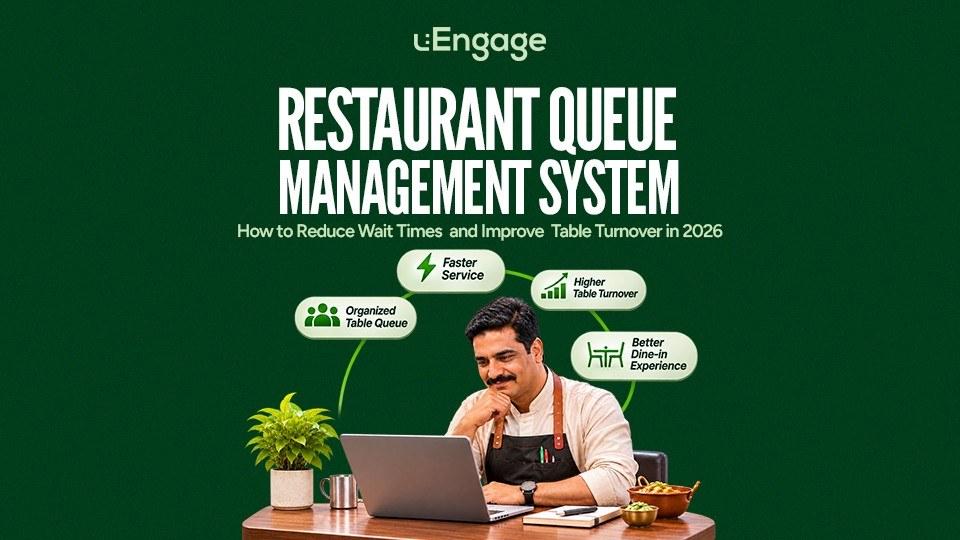
A crowded restaurant entrance may look like a sign of high demand. But when guests do not know how long they must wait, which table will become available or whether the queue is moving fairly, that demand can quickly walk out of the door.
The problem is rarely the queue alone.
It is usually a combination of:
Walk-ins recorded on paper
Reservations managed on calls or different apps
Staff checking tables manually
Inaccurate wait-time estimates
Clean tables remaining unassigned
Guests repeatedly asking for updates
No visibility into how long each table has been occupied
A restaurant queue management system brings these activities together. It helps restaurants check guests in, maintain a digital waitlist, monitor table availability, estimate waiting time and allocate tables from one place.
For restaurants in 2026, this is not merely a convenience feature. It directly affects guest experience, table utilisation and the number of customers a restaurant can serve during busy hours.
A queue does not become a problem because guests are waiting. It becomes a problem when nobody knows what happens next.
Quick Answer: What Is a Restaurant Queue Management System?
A restaurant queue management system is software that helps a restaurant manage walk-ins, reservations, waiting guests and table allocation digitally.
Instead of writing names in a register, the team can use a live dashboard to view:
Guest name and party size
Check-in time
Position in the queue
Estimated waiting time
Seating preference
Available and occupied tables
Tables waiting to be cleaned
Guest notifications
Completed and cancelled visits
The objective is simple: seat the right party at the right table without making the guest or the floor team chase updates.
Why Restaurant Waiting Time Matters More Than It Appears
Waiting does not only affect the guest standing at the entrance. It influences revenue, repeat visits, dining behaviour and overall restaurant capacity.
A study published in the Journal of Operations Management analysed 94,404 customers at an Indian restaurant over 12 months. It found that longer waiting times were associated with guests leaving the queue, taking longer to return and spending less time dining after being seated. Its simulation estimated that removing waiting could increase total revenue by nearly 15%.
The same research estimated that more flexible table-allocation rules could improve revenue by as much as 7.5% within the restaurant’s existing capacity. In other words, a restaurant may not always need more tables. It may need to use its existing tables more intelligently. Wiley Online Library
Recent diner research also shows that patience has a limit:
72% of surveyed diners would wait no longer than 30 minutes for a table.
45% were more likely to visit a restaurant offering an online or app-based waitlist.
59% of diners aged 18–34 preferred a mobile waitlist or text-message option while waiting.
OpenTable’s 2026 diner research found that walk-in guests were willing to wait an average of 39 minutes, reinforcing the importance of accurate wait-time communication and a structured waitlist. opentable.com
These numbers do not mean every guest will abandon a restaurant after a fixed number of minutes. A café, QSR, family restaurant and fine-dining venue will each have different expectations.
The lesson is more practical:
Guests may accept a wait. They are far less likely to accept uncertainty.
What Causes Long Restaurant Queues?
Many restaurants assume that queues happen because they do not have enough tables. Sometimes that is true. Often, however, the delay begins with poor coordination.
1. Walk-Ins and Reservations Are Managed Separately
The host may have reservations in one system, walk-ins in a register and phone bookings in a WhatsApp conversation.
Without one live view, the team can:
Hold tables unnecessarily
Accept more guests than it can seat
Miss reservations
Give incorrect estimates to walk-ins
A combined restaurant reservation and waitlist system helps the team balance confirmed bookings with real-time walk-in demand.
2. Staff Cannot See the Live Status of Every Table
A table may appear occupied even when the guests have requested the bill. Another may be empty but waiting to be cleaned. A third may be reserved for a party arriving much later.
When the host cannot see these stages, available capacity is easily missed.
3. Party Size Is Not Matched With Table Capacity
A party of two should not occupy a six-seater during a peak period if a suitable smaller table is becoming available.
Similarly, joining multiple tables for a large group without checking upcoming reservations can create another delay later.
A restaurant table management system should help staff consider party size, table capacity and live availability together.
4. Wait-Time Estimates Depend on Guesswork
Telling every guest “15 minutes” may temporarily calm the queue, but it creates frustration when the actual wait becomes 35 minutes.
Accurate estimates require visibility into:
Average dining duration
Current table status
Party size
Pending bills
Upcoming reservations
Cleaning time
Historical turn times
5. Tables Remain Idle Between Parties
Table turnover is not only about how quickly customers eat.
Time is also lost between:
A guest requesting the bill
Payment being completed
The table being cleared
The table being marked available
The next party being assigned
The party reaching the table
Even a few unnecessary minutes between every seating can reduce the number of guests served during a busy dinner period.
What Is Restaurant Table Turnover?
Restaurant table turnover refers to how many different parties use a table during a particular service period.
A simple formula is:
Table turnover rate = Total parties served ÷ Total tables available
For example, if a restaurant serves 60 parties using 20 tables during dinner:
60 ÷ 20 = 3 table turns
Each table supported an average of three parties during that service period.
Toast similarly defines table turnover by the number of parties served relative to the number of tables. A higher number of parties served can increase revenue, provided service quality is not compromised.
Turnover should not be improved by rushing diners. The goal is to remove the avoidable gaps around seating, ordering, billing, cleaning and reassignment.
Better table turnover does not mean asking guests to leave sooner. It means ensuring tables do not remain unused because the team lacks information.
How a Restaurant Queue Management System Reduces Wait Times
1. Replace the Paper Register With a Digital Waitlist
A digital waitlist for restaurants records every waiting party in one structured queue.
The host can capture:
Guest name
Mobile number
Party size
Arrival time
Seating preference
Special requirements
Estimated wait
Current queue status
This reduces duplicate entries, missing names and disputes about who arrived first.
It also creates useful data. The restaurant can later identify its busiest periods, average wait time and common party sizes.
2. Allow Guests to Check In Digitally
Guests should not always need to stand at the reception desk to join the queue.
Depending on the restaurant’s setup, digital check-in can be offered through:
The restaurant website
WhatsApp
A QR code at the entrance
A staff-operated device
A reservation link
Online check-in can reduce crowding and give the restaurant visibility into incoming demand before the guest reaches the door.
Research from Toast found that 65% of surveyed diners went directly to a restaurant’s website when booking a reservation, while 44% became frustrated or stopped trying when the booking process was difficult.
For restaurants, this makes the branded website an important part of the dine-in journey, not just an online menu.
3. Provide Realistic Wait-Time Updates
A modern restaurant waitlist management system should help the team give guests a realistic estimate instead of a convenient guess.
When the expected time changes, the guest can receive an update rather than repeatedly returning to the host desk.
Clear communication gives guests the freedom to:
Wait outside
Sit in their car
Visit a nearby store
Wait at the bar
Return when the table is nearly ready
The waiting time may remain the same, but the experience becomes more manageable.
4. Show Table Status in Real Time
The floor team should be able to identify whether a table is:
Available
Occupied
Reserved
Awaiting the bill
Being cleaned
Ready for the next party
This shared visibility prevents staff from depending on verbal updates such as “I think table eight is almost done.”
It also helps managers spot operational bottlenecks. If multiple tables remain in the cleaning stage, the problem may be staffing. If billing repeatedly creates delays, the payment flow may need attention.
5. Match Guests With the Right Table
The first guest in the queue should generally be seated first, but table allocation must also consider party size and available capacity.
For example:
A two-person party can use a two-seater.
A six-person party should not be repeatedly skipped without an update.
Two smaller tables should not be joined if doing so affects an upcoming booking.
A reserved table should not remain empty much earlier than necessary.
A restaurant queue system gives the host enough context to make these decisions quickly and consistently.
6. Notify Guests When Their Table Is Ready
Automated WhatsApp or SMS notifications can tell a guest when:
Their check-in has been confirmed
Their position or expected wait has changed
Their table is nearly ready
Their table is ready
Their booking requires confirmation
This reduces announcements, repeated calls and reception-area crowding.
It also prevents a ready table from remaining empty because the team cannot locate the next guest.
7. Connect Seating With the Service Flow
Reducing the queue at the entrance is only half the job.
If guests are seated quickly but wait too long for a menu, order placement or kitchen confirmation, the bottleneck has simply moved inside the restaurant.
A connected dine-in workflow should support:
Check-in ? Queue ? Table allocation ? Order placement ? Kitchen flow ? Billing ? Table reset
This gives managers visibility across the complete guest journey instead of optimising the entrance in isolation.
How to Improve Table Turnover Without Rushing Guests
Monitor Every Stage of the Table Journey
Do not measure only the total dining duration. Break it into stages:
Time from check-in to seating
Time from seating to first order
Kitchen preparation time
Time between courses
Time from bill request to payment
Cleaning and reset time
Time from availability to the next seating
The longest avoidable stage is where improvement should begin.
Prepare the Table Before the Guest Reaches It
Once a table is close to becoming available, the host and floor team should know which party is likely to receive it.
That allows the team to:
Confirm the guest is still waiting
Prepare any special seating requirement
Clean and reset the table promptly
Guide the party without another round of coordination
Use Different Benchmarks for Different Formats
A QSR should not use the same turnover target as a fine-dining restaurant.
Targets should account for:
Restaurant format
Meal period
Party size
Number of courses
Average order value
Weekday versus weekend demand
Customer expectations
The aim is not to chase the highest possible turnover number. It is to achieve a healthy balance between capacity, revenue and guest experience.
Review Peak-Hour Data Weekly
A restaurant should review:
Average and maximum wait time
Number of walk-ins
Guest abandonment or cancellations
Average dining duration
Table turns by meal period
Time spent cleaning tables
Reservation no-shows
Percentage of seats occupied
Parties seated by size
Quoted wait time versus actual wait time
This turns queue management from daily firefighting into an operational improvement process.
Example: What Five Saved Minutes Can Change
Consider a restaurant with:
20 tables
A four-hour dinner period
An average table cycle of 80 minutes
In theory, each table can support around three dining cycles during that period, although actual performance will vary by party size and arrival pattern.
If the restaurant removes five avoidable minutes from billing, cleaning and reassignment, the improvement may not create a complete extra turn on every table.
But across all tables and multiple peak periods, it can:
Seat waiting parties earlier
Reduce idle-table minutes
Improve the accuracy of wait estimates
Accommodate more walk-ins
Reduce pressure on the host team
This is why queue management and table turnover must be viewed together. Filling the queue without improving the floor workflow only moves congestion from the entrance to the dining room.
Features to Look for in Restaurant Queue Management Software
Before choosing a restaurant queue management app, evaluate whether it provides:
Essential Queue Features
Digital guest check-in
Walk-in and reservation management
Party-size recording
Live queue visibility
Estimated wait times
Guest status updates
WhatsApp or SMS notifications
Cancellation and no-show tracking
Table Management Features
Visual floor or table view
Available, occupied and reserved statuses
Party-to-table matching
Table allocation history
Occupancy tracking
Turn-time reporting
Cleaning or reset status
Support for multiple dining areas
Operational Features
Waiter assignment
Waiter-to-kitchen order flow
Live order status
Guest and order history
Role-based staff access
Outlet-level reports
Integration with existing restaurant systems
The most feature-heavy product is not automatically the best one. Choose a system that the host, waiters and managers can actually use during the busiest hour of the week.
How uEngage uServe Supports Restaurant Queue and Table Management
uServe is uEngage’s waiter and restaurant management app for busy dine-in operations.
It brings guest check-ins, queues, table allocation and waiter-to-kitchen order flow into one interface. Its purpose is to give the floor team a live view of what is happening from guest arrival to table service.
Digital Guest Check-In
Restaurants can allow guests to check in through supported digital journeys such as the restaurant website or WhatsApp.
This reduces manual entry at the reception desk and helps the team maintain a structured guest queue.
Live Queue Visibility
The host and floor team can see waiting guests without relying on paper registers or verbal updates.
This helps staff:
Follow the correct seating order
View party sizes
Track the active queue
Communicate updates more consistently
Smart Table Allocation
uServe provides visibility into table and occupancy status, helping the team identify what is free, occupied or becoming available.
The restaurant can make faster seating decisions while reducing confusion during peak hours.
Waiter-to-Kitchen Order Flow
Once the guest is seated, uServe supports the operational flow between the waiter and the kitchen.
This matters because a strong queue system should not end at table allocation. The dine-in experience must continue smoothly after seating.
Live Tracking and History
Managers can use operational history to understand guest movement, table usage and service flow over time.
That information can support better staffing, more realistic wait estimates and improved floor planning.
A Connected Restaurant Journey
uServe operates as part of the wider uEngage ecosystem, which can support:
Direct ordering
Restaurant marketing
Loyalty and customer retention
Delivery management
Dine-in and reservation operations
For restaurants managing multiple guest touchpoints, this reduces the need to maintain completely separate systems for every part of the customer journey.
Who Should Use a Restaurant Queue Management System?
A digital queue and table management system is particularly useful for:
Busy casual-dining restaurants
Fine-dining restaurants
Buffets
Family restaurants
Cafés with limited seating
Restaurants inside malls
Multi-outlet restaurant brands
Restaurants with heavy weekend demand
Outlets managing both reservations and walk-ins
Restaurants where guests regularly wait at the entrance
A small outlet that rarely has a queue may not require an advanced setup immediately.
However, if staff regularly lose track of guests, give inaccurate waiting estimates or leave tables idle while people are waiting, the restaurant has already outgrown a paper register.
Restaurant Queue Management Checklist
Before implementation, answer these questions:
How are walk-ins currently recorded?
Are reservations and walk-ins visible in one place?
Can the host see every table’s live status?
How is the estimated waiting time calculated?
Can guests receive automatic updates?
How often do guests leave before being seated?
How much time passes between payment and the next seating?
Are table turns measured by day and meal period?
Can the system support multiple outlets?
Will the floor team be able to use it during peak hours?
If most answers depend on memory, calls or manual coordination, digitising the queue should be a priority.
Final Takeaway
Long queues are not always proof that a restaurant needs more space.
They can be a sign that guests, tables and staff are being managed through disconnected processes.
A restaurant queue management system gives the team a clearer view of:
Who is waiting
Which table is available
How long the wait may be
Who should be seated next?
Where time is being lost
When that visibility continues from check-in to table service, restaurants can reduce uncertainty, use existing capacity more effectively and improve table turnover without compromising hospitality.
uEngage uServe helps restaurants manage check-ins, guest queues, table allocation and dine-in service from one connected interface.