A Saturday evening rush should be good news.
But inside many restaurants, it looks like this:
The host is checking a paper register. Phone bookings are saved under different staff members. WhatsApp requests are buried in chats. Walk-in guests are waiting without clear updates. One reserved table has remained empty for 20 minutes, while another party is ready to be seated.
The restaurant has demand, but the floor team does not have one clear view of it.
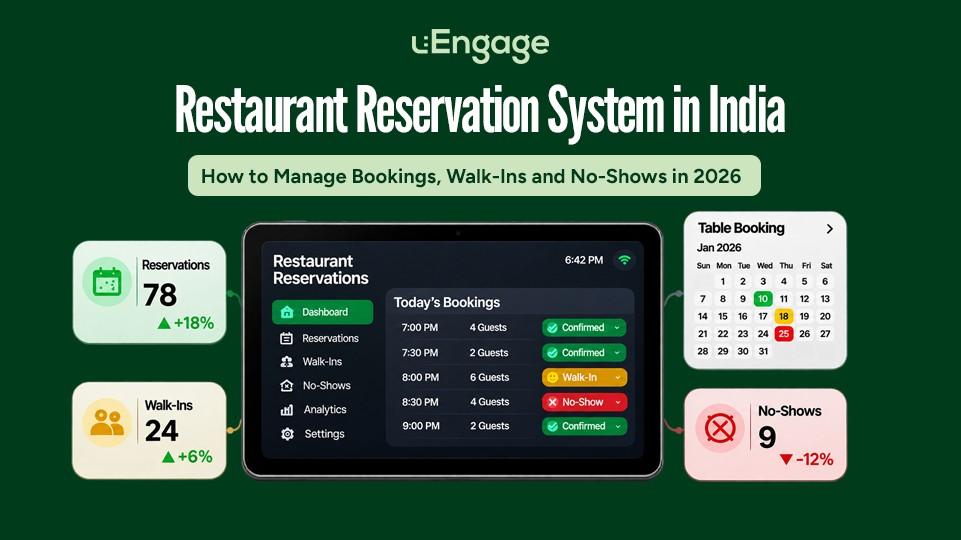
A restaurant reservation system brings bookings, walk-ins, guest check-ins, queues and table availability together. It helps the restaurant confirm reservations, assign the right tables, manage waiting guests and reduce the revenue lost through no-shows or empty tables.
For Indian restaurants in 2026, reservation management is no longer only about taking bookings. It is about turning every confirmed booking into a smooth, completed dining experience.
A reservation is not successfully managed when it is accepted. It is successfully managed when the guest reaches the right table.
What Is a Restaurant Reservation System?
A restaurant reservation system is software that helps guests book tables and allows the restaurant team to manage bookings, walk-ins, cancellations, waiting guests and table allocation from one place.
A complete restaurant table reservation system can help with:
Online table bookings
Phone and WhatsApp reservations
Booking confirmations
Guest reminders
Walk-in management
Digital waitlists
Live table availability
Party-to-table allocation
Cancellation and no-show tracking
Guest preferences and visit history
Multi-outlet reporting
Unlike a basic booking form, reservation management software also supports the operational work that begins after a reservation is received.
Why Restaurant Reservation Management Matters in 2026
How customers discover and book restaurants is changing.
Guests may find a restaurant through Google Search, Google Maps, social media, the restaurant’s website or a dining platform. Google’s AI Mode can now check dining reservation availability in India, while Google Maps is also introducing conversational restaurant discovery and reservation actions. Google Search Help
This means restaurants need more than a phone number listed online.
They need:
Accurate restaurant information
A clear reservation journey
Updated availability
A booking experience that works on mobile
A reliable process for handling confirmed guests
Coordination between reservations and walk-ins
Getting the booking is only the first half. The restaurant must still manage the guest when they arrive.
Why Phone Calls and Paper Registers Stop Working
Phone calls and paper registers may work for a restaurant receiving a few bookings each day.
The problems begin when booking volume increases or reservations arrive through different channels.
Bookings Get Scattered Across Channels
A restaurant may receive reservations through:
Phone calls
WhatsApp
Instagram messages
Its website
Google
Dining platforms
Walk-in requests
When these bookings do not appear in one system, staff must manually combine them. That creates room for missed entries, duplicate bookings and conflicting table commitments.
Staff Cannot See Live Availability
A paper register may show that a guest booked a table for 8:00 PM. It does not automatically tell the host:
Which table should be assigned
Whether the previous guests have finished
Whether the table is being cleaned
How many walk-ins are waiting
Whether another reservation needs the same table
Whether the guest has arrived
The booking exists, but the operational context is missing.
Changes Are Difficult to Track
Guests reschedule, reduce their party size, arrive late or cancel. If the update is communicated to one employee but not reflected in the main register, the restaurant continues planning around outdated information.
Guest History Gets Lost
A returning guest may have visited the restaurant several times, but the team still treats every visit as new.
Without a digital reservation record, useful details can disappear:
Preferred seating
Dietary requirements
Special occasions
Past visit frequency
Previous cancellations
Average party size
This information can help the restaurant deliver better service and build stronger guest relationships.
Booking Platform vs Restaurant Reservation Management System
These two categories are often treated as the same thing, but they solve different problems.
A Booking or Discovery Platform
A diner-facing platform helps customers discover restaurants and request a reservation.
Its primary role is to bring the booking.
A Reservation Management System
A restaurant-facing system helps the team manage bookings received from different sources.
Its role may include:
Combining reservations
Managing walk-ins
Checking guests in
Tracking the queue
Assigning tables
Recording cancellations
Maintaining guest history
Monitoring floor activity
Restaurants may use a discovery platform to attract bookings and a reservation management system to operate them.
The important point is this:
A platform can bring a guest to the restaurant. The restaurant still needs a system to manage what happens next.
How a Restaurant Reservation System Works
A well-planned reservation journey follows a simple flow.
1. The Guest Selects a Date, Time and Party Size
The guest enters basic booking information through the restaurant’s website or another supported booking channel.
The system should only display slots that the restaurant can reasonably accommodate.
2. The Restaurant Receives the Booking
The reservation appears in a central view with details such as:
Guest name
Mobile number
Date and time
Party size
Seating preference
Special request
Booking source
Confirmation status
3. The Guest Receives Confirmation
A confirmation reassures the guest that the reservation has been recorded.
It should clearly mention:
Restaurant and outlet
Booking date
Booking time
Party size
Relevant arrival policy
Cancellation or modification option
4. A Reminder Is Sent Before the Visit
A timely reminder helps the guest remember the booking and gives them an easy opportunity to confirm, cancel or reschedule.
Recent reservation data from Resos found an association between delivered SMS reminders and a 16% lower recorded no-show rate within a matched group of 46,884 reservations across 257 restaurants. The company correctly notes that this is an observed relationship, not proof that reminders alone caused the reduction.
5. The Guest Checks In
When the guest arrives, staff can mark the reservation as checked in.
If the table is not ready, the guest can move into the active queue rather than being added to a separate paper list.
6. The Right Table Is Allocated
The floor team considers:
Party size
Table capacity
Current occupancy
Seating preference
Upcoming reservations
Expected table availability
7. The Visit Is Recorded
After the visit, the restaurant retains an operational record that can help understand guest behaviour and improve future service.
How to Manage Reservations and Walk-Ins Together
Reservations and walk-ins compete for the same tables. Managing them in separate systems creates avoidable confusion.
A restaurant reservation and waitlist system should give the host one combined view of:
Confirmed reservations
Guests who have checked in
Late arrivals
Walk-in parties
Estimated table availability
Current table occupancy
Cancelled bookings
No-shows
Do Not Block Tables Too Early
Holding a table long before the reservation time reduces available capacity and makes walk-in queues longer.
The restaurant should define a practical table-hold policy based on:
Restaurant format
Average dining duration
Guest arrival patterns
Peak and non-peak hours
Party size
Set a Clear Grace Period
If a guest is late, the team should know:
How long the table will be held
Whether the guest has been contacted
When the table can be reassigned
Whether the booking moves to the waitlist
The rule should be communicated politely during confirmation.
Keep Space for Walk-Ins
Not every table needs to be committed to advance reservations.
Restaurants can use historical data to decide the appropriate reservation-to-walk-in ratio for different meal periods.
A fine-dining venue may rely heavily on reservations. A casual-dining restaurant in a busy shopping area may need greater flexibility for walk-ins.
Move Checked-In Guests Into the Live Queue
A reservation does not always guarantee immediate seating, especially when the previous table is running late.
Once the guest arrives, the system should connect the reservation with the live guest queue and table status. This keeps the host from operating two disconnected lists.
How Restaurant Reservation Software Helps Reduce No-Shows
A no-show happens when a guest reserves a table but does not arrive and does not cancel.
Even a seemingly small no-show rate matters because the restaurant may:
Turn away another booking
Hold the table unnecessarily
Lose revenue during a peak period
Overstaff for expected demand
Prepare inventory for guests who never arrive
Resos measured a 2.33% recorded no-show rate across 3.77 million reservations from August 2025 to July 2026. The dataset is international rather than India-specific, so restaurants should use it as a benchmark, not assume it represents the Indian market exactly.
India does not currently have a reliable, industry-wide no-show benchmark. The best approach is to measure the restaurant’s own no-shows by outlet, day, service period and booking channel.
Send Confirmation Immediately
A guest should receive confirmation as soon as the booking is accepted.
This reduces uncertainty and gives them a record of the date, time and outlet.
Send a Reminder Before the Booking
A reminder can ask the guest to:
Confirm the booking
Modify the party size
Change the time
Cancel if plans have changed
The cancellation process should be easy. Research on reservation behaviour suggests that simple cancellation methods and clear policies can support better booking behaviour, while overly strict or complex processes may discourage bookings.
Follow Up on Large Parties
Large bookings create a greater risk because they may require the restaurant to combine tables or turn away other guests.
The restaurant can apply additional confirmation steps for:
Large groups
Weekend dinner slots
Special-event dates
Limited-seating experiences
High-demand outlets
Consider a Reservation Deposit Selectively
Not every restaurant or booking requires a deposit.
Deposits can be considered for large parties, premium slots, tasting menus or limited-capacity events.
Indian restaurants have increasingly experimented with adjustable reservation fees to discourage speculative bookings. Restaurateur AD Singh explained the scale simply:
“If it’s an 80-seater restaurant and a table of ten decides not to show up, that is 12.5% of business lost.” Condé Nast Traveller India
Any fee or deposit policy should be transparent and clearly explain whether the amount is refundable or adjusted against the final bill.
Maintain a Live Waitlist
When a reservation is cancelled or released, a connected waitlist gives the restaurant a better chance of filling the table.
Without a waitlist, the team may know that a table has opened but have no structured way to contact the next interested party.
Features to Look for in Restaurant Reservation Software
The best restaurant reservation system is not necessarily the one with the longest feature list. It is the one that the host and floor team can use during the busiest service of the week.
Guest Booking Features
Mobile-friendly booking experience
Date, time and party-size selection
Outlet selection
Seating preferences
Special-request field
Booking confirmation
Rescheduling and cancellation journey
Reservation Management Features
Central reservation view
Booking source tracking
Confirmation status
Late-arrival status
Cancellation and no-show recording
Guest notes and preferences
Multi-outlet access
Walk-In and Queue Features
Digital guest check-in
Live waiting list
Party-size tracking
Estimated wait time
Table-ready notifications
Queue history
Table Management Features
Live table status
Available, occupied and turning-over views
Table capacity
Party-to-table allocation
Seating history
Occupancy visibility
Operational Features
Waiter assignment
Waiter-to-kitchen order flow
Billing status
Guest history
Peak-hour reports
Outlet-level performance
How to Choose a Restaurant Reservation System in India
Before selecting restaurant reservation software, ask these questions.
Can It Manage Every Booking Source?
The system should help the restaurant consolidate bookings from the channels it actually uses.
A system that handles only its own booking form may still leave staff manually entering phone, WhatsApp and platform reservations.
Does It Connect Reservations With Walk-Ins?
Reservations and walk-ins eventually compete for the same floor capacity.
The team should not need one app for bookings and a register for waiting guests.
Does It Show Live Table Status?
A booking calendar without floor visibility can still create delays at the entrance.
Staff should know which tables are free, occupied or likely to become available.
Can Guests Confirm or Cancel Easily?
Making cancellation difficult does not necessarily prevent no-shows. It may simply stop guests from informing the restaurant.
Is It Easy for Staff to Use?
The product should be tested during a realistic service scenario—not only in a sales demonstration.
Ask the host or floor manager to complete tasks such as:
Add a phone booking
Check in a guest
Change the party size
Move a booking to the queue
Assign a table
Record a cancellation
Find a returning guest
Does It Support Multiple Outlets?
Multi-outlet brands should check whether they can:
View bookings by outlet
Apply different timings
Control user access
Compare no-shows and demand
Maintain outlet-specific tables and capacities
Who Owns the Guest Relationship?
The restaurant should understand what guest data it can access and how it can use that information for legitimate service and retention communication.
How uEngage uServe Supports the Dine-In Journey
uEngage uServe is a waiter and restaurant management app designed to connect reservations, guest check-ins, queues, table allocation and waiter-to-kitchen operations.
Rather than treating reservations as an isolated booking calendar, uServe supports the wider dine-in journey:
Reservation ? Check-in ? Queue ? Table allocation ? Ordering ? Billing ? Feedback ? CRM and loyalty
uServe’s current capabilities include guest check-in through supported website and WhatsApp journeys, live queue visibility, real-time table status, smart table allocation, waiter order entry and table, order and guest history.
Manage Reservations and Arrivals
The restaurant team can maintain greater visibility over expected guests and the people who have arrived.
This reduces dependency on disconnected registers, calls and verbal updates.
Check Guests In Digitally
uEngage’s digital check-in journey allows restaurants to register arriving guests and manage table allocation. Guests can also receive confirmation and table-ready notifications through supported communication flows.
Manage the Live Queue
When a reserved table is not immediately available, checked-in guests can be managed within the active queue.
The host can view waiting guests instead of maintaining a separate handwritten list.
View Table and Occupancy Status
The floor team can see whether tables are available, occupied or turning over.
This helps staff make faster seating decisions and reduces the time tables remain idle because information has not reached the host.
Connect Seating With Service
After the guest is seated, uServe supports waiter-to-kitchen order flow.
This matters because improving the booking experience is pointless if the guest then waits too long to place an order.
Build Useful Guest History
Table, order and guest history can help restaurants understand repeat visits and service patterns over time.
Connected with the wider uEngage ecosystem, restaurants can extend the relationship beyond the visit through feedback, CRM, loyalty and relevant communication.
Example: Why One No-Show Can Affect More Than One Table
Consider a restaurant with 20 tables.
A group of eight reserves two joined tables for 8:00 PM. The restaurant begins holding those tables before the booking time.
The guests do not arrive.
By the time the restaurant releases the tables:
Two smaller walk-in parties have already left.
The host has quoted longer waiting times to other guests.
The joined tables must be separated and reset.
The peak demand window has shortened.
The loss is not limited to one missing reservation. It also includes the guests the restaurant could not confidently seat while holding that capacity.
Now consider the same situation with:
An advance confirmation
A reminder before service
A defined grace period
Live arrival status
A waiting list ready to fill released tables
The no-show may still happen, but the restaurant can respond much faster.
Metrics Restaurants Should Track
A restaurant reservation management system becomes more valuable when its data leads to action.
Track:
Reservations by channel
Confirmed reservations
Guest check-ins
Cancellation rate
No-show rate
Late-arrival rate
Average party size
Walk-ins versus reservations
Quoted versus actual waiting time
Average table occupancy time
Table turnover by meal period
Peak booking hours
Repeat guest rate
No-Show Rate Formula
No-show rate = No-show reservations ÷ Total confirmed reservations × 100
If a restaurant records 12 no-shows from 400 confirmed reservations:
12 ÷ 400 × 100 = 3% no-show rate
Reservation Conversion Rate
If the restaurant receives booking requests that require approval, it can track:
Confirmed reservations ÷ Total booking requests × 100
Table Turnover Rate
Total parties served ÷ Total tables available
These metrics should be viewed by outlet and meal period because weekend dinner behaviour may differ significantly from weekday lunch.
How Restaurant Reservations Are Changing With AI Search
Guests increasingly use conversational searches such as:
“Book a table for six near me this Friday.”
“Find a family restaurant with vegetarian options and parking.”
“Which restaurants have a table available at 8 PM?”
“Reserve a quiet restaurant for an anniversary dinner.”
Google officially supports dining-reservation availability through AI Mode in India, while Ask Maps can help users discover restaurants and move towards reservation actions.
For restaurants, this makes accurate digital information more important.
Maintain:
Correct business name
Complete address
Updated opening hours
Accurate phone number
Cuisine and service details
Current menu
Reservation URL
Consistent outlet information
Structured restaurant and local-business data
Mobile-friendly booking pages
An AI search experience can help a diner discover a restaurant, but the restaurant still needs a clear, working booking path to convert that discovery into a confirmed visit.
Restaurant Reservation System Implementation Checklist
Before going live:
List every current booking channel.
Document table numbers and seating capacity.
Set operating and reservation hours.
Define booking duration by meal period.
Set the late-arrival grace period.
Decide when reminders should be sent.
Create cancellation and no-show rules.
Define policies for large parties.
Add walk-in and queue workflows.
Train hosts and floor managers.
Test bookings, changes and cancellations.
Review performance after the first two weeks.
The system should reflect how the restaurant actually operates. Software cannot fix an unclear policy that the team itself does not understand.
Final Takeaway
A full reservation book does not automatically mean a full restaurant.
Bookings can still be lost through:
Missed calls
Duplicate entries
Poor confirmation
No-shows
Disconnected walk-in queues
Slow table allocation
Unclear floor visibility
A restaurant reservation system connects the booking with the operational journey that follows.
It helps the restaurant know:
Who is expected
Who has arrived
Who is waiting
Which table is available
Which booking needs confirmation
Where capacity is being lost
With uEngage uServe, restaurants can connect reservations, guest check-ins, queues, table allocation and floor operations, giving teams greater control over the complete dine-in experience.