Your dine-in guests may be some of your most valuable customers. They already know your location, have experienced your service and are willing to visit in person. Yet many restaurants still know very little about them after the bill is closed.
A guest walks in, scans a digital menu QR code, places an order, pays and leaves. The table is cleared, but the restaurant is left without a reliable customer profile or a clear way to recognise that guest on the next visit.
Direct delivery and takeaway orders usually contribute to a customer database. Dine-in ordering often remains anonymous, even when it represents a major share of restaurant revenue.
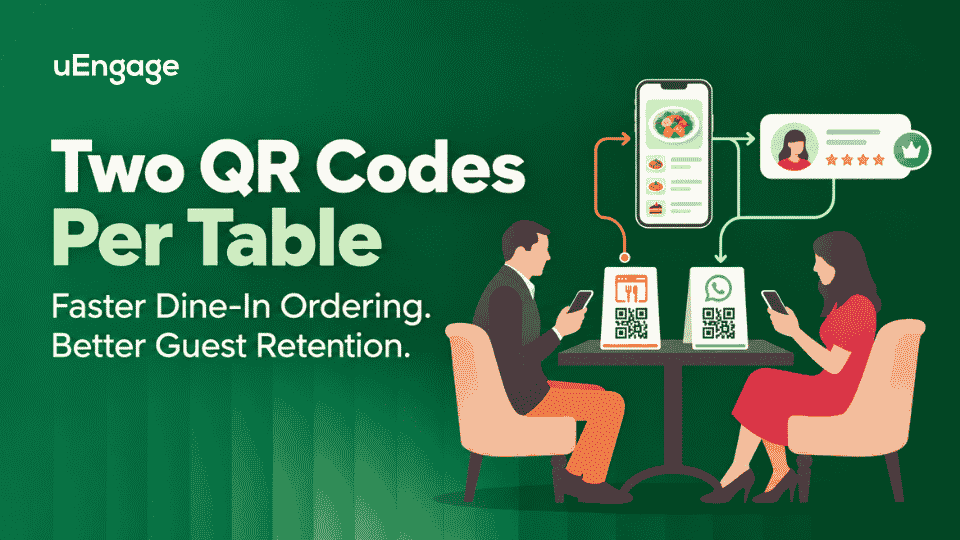
uEngage addresses this gap with two QR codes for every table: a Legacy QR for the quickest guest checkout and a WhatsApp QR that connects the order with the guest's WhatsApp number. Restaurants can offer both options without forcing every diner through the same journey.
Why traditional table QR ordering creates a customer data gap
A QR code ordering system for restaurants can make menu discovery and ordering faster. However, a basic browser-based QR journey is usually designed for speed, not customer identification.
The guest scans, orders as a visitor and completes payment. That is convenient at the table, but the restaurant may not be able to connect the order with an existing customer profile, loyalty account or previous ordering history.
This creates three practical limitations:
The restaurant cannot easily identify which dine-in guests are returning regularly.
Loyalty points and rewards may depend on an additional sign-up step that guests skip.
Dine-in, takeaway and delivery behaviour can remain separated instead of contributing to one customer view.
The problem is not the QR code itself. The problem is using one QR journey for every type of guest, even though their needs are different.
What is new: two QR codes for every table
Every table in the uEngage dine-in ordering system can have two QR codes. Each code is designed for a different guest preference.
Legacy QR for the fastest path to ordering
The Legacy QR opens the restaurant's menu directly in the guest's mobile browser. The table number is already selected, so the guest can begin ordering without downloading an app, creating an account or entering login details.
This option works well for speed-first walk-ins, one-time visitors and guests who simply want to browse the menu and place an order.
WhatsApp QR for ordering with customer recognition
The WhatsApp QR begins the journey inside WhatsApp. The guest scans the code, sends a ready-to-use message and receives the restaurant's menu link. The table is already selected, and the guest can continue through the restaurant's branded ordering website using their WhatsApp number.
This creates a smoother bridge between dine-in ordering, customer identification, order updates and future loyalty recognition. It is especially useful for regular guests, families and brands that want to build stronger direct relationships.
Both journeys use the restaurant's own ordering website, so menu items, prices and available offers remain consistent.
How the two dine-in ordering journeys work
Legacy QR journey
1. The guest scans the QR code placed on the table.
2. The restaurant menu opens in the mobile browser with the correct table already selected.
3. The guest adds items, places the order and pays without signing up.
4. Order progress remains available on screen.
WhatsApp QR journey
1. The guest scans the WhatsApp QR code on the table.
2. WhatsApp opens with a pre-filled message associated with that table.
3. The guest taps send and receives the restaurant's menu link.
4. The menu opens with the table selected and the WhatsApp-based guest journey enabled, without a separate OTP or form.
5. The guest places the order and receives order updates through WhatsApp.
Legacy QR and WhatsApp QR compared
Capability | Legacy QR | WhatsApp QR |
Opens the digital menu | Yes | Yes |
Table selected automatically | Yes | Yes |
Separate sign-up required | No | No |
Guest identification | Guest checkout | Through WhatsApp number |
Order updates | On screen | On WhatsApp |
Connection with CRM and loyalty | Only when the guest identifies or signs up | Can connect with the recognised guest journey |
Best suited for | Speed-first and one-time guests | Regular guests and retention-focused brands |
Why WhatsApp QR matters for restaurant operators
Build a more reliable dine-in customer database
Typed phone numbers can be skipped or entered incorrectly. A WhatsApp-led journey helps associate the dine-in order with the number used by the guest, creating a more dependable customer record for that interaction.
Recognise repeat guests across visits
A restaurant should not have to treat a regular guest like a first-time visitor on every visit. When dine-in activity can connect with a customer profile, the brand gets a clearer picture of visit frequency, ordering behaviour and loyalty participation.
Connect dine-in orders with loyalty
When the guest is recognised, eligible dine-in orders can contribute to the restaurant's loyalty experience without requiring a separate account-creation journey at the table. The exact loyalty flow depends on the brand's configured programme and rules.
Create one customer view across channels
A guest may dine in during the week, order delivery on the weekend and choose takeaway later. When these interactions can be connected, restaurants gain a more complete view of their most engaged customers instead of evaluating every channel in isolation.
Reduce routine questions for staff
Order updates sent to the guest's phone can reduce repeated status questions at the table. Staff still remain available when help is needed, but they spend less time manually updating guests about routine order progress.
Support relevant customer engagement
With the appropriate consent and messaging permissions, restaurants can use customer segments for relevant communication such as loyalty updates, new-menu announcements, birthday offers or reactivation campaigns. The objective is not to message every diner more often. It is to communicate more appropriately based on the customer's relationship with the brand.
Why offering both QR codes is better than forcing one journey
Not every guest wants the same ordering experience. Some value the shortest possible journey. Others are comfortable using WhatsApp and may appreciate saved recognition, loyalty benefits and updates on a familiar channel.
Using both QR codes protects guest choice:
Legacy QR keeps the dine-in experience quick and open for anyone.
WhatsApp QR creates a recognised journey for guests who choose it.
Restaurants can build customer relationships without placing extra steps in front of every order.
The result is a flexible restaurant table ordering system rather than a one-size-fits-all flow.
Where to place each QR code
Family restaurants cafés and casual dining brands
Make the WhatsApp QR visually prominent where repeat visits and loyalty participation matter. Use clear supporting copy such as: Scan with WhatsApp for order updates and rewards.
QSRs and high-footfall food courts
Keep the Legacy QR prominent for guests who prioritise speed, while placing the WhatsApp QR alongside it for repeat customers who want recognition and updates.
Table tents stickers and menu inserts
Label both codes clearly. Avoid making the guest guess which code does what. The benefit should be understandable in a few seconds, even during a busy service period.
Legacy QR: Scan to view the menu and order
WhatsApp QR: Scan for order updates and rewards
Restaurants should test the placement from a seated guest's perspective and confirm that both QR codes scan easily under actual lighting conditions.
How this connects with the uEngage ecosystem
The two-QR approach is most useful when dine-in ordering is not treated as an isolated feature. uEngage connects the branded ordering experience with customer profiles, loyalty and marketing workflows.
Branded ordering keeps the menu, pricing and guest experience under the restaurant's own identity.
Table-aware QR journeys send the order to the correct table without manual selection.
WhatsApp-based ordering creates a recognised path for guests who choose it.
uEngage Marketing can support customer segmentation, loyalty and relevant engagement using connected ordering behaviour.
Instead of ending when the bill is paid, the dine-in interaction can contribute to a stronger understanding of the guest and their relationship with the restaurant.
How to get both QR codes live
Existing uEngage dine-in brands can enable the WhatsApp QR journey from the merchant dashboard and download both QR codes for each table. Restaurants should confirm their menu, table mapping, WhatsApp setup, loyalty rules and customer messaging permissions before rollout.
Brands new to uEngage can work with the team to set up a branded ordering website, table QR codes and the WhatsApp ordering journey as part of one connected dine-in experience.